KeyClack
Mechanical keyboard sound for any Mac: every keystroke clicks like a real switch. It lives in the menu bar and records or sends nothing. Now in beta testing.
macOS · Cream
- 01Type as usual
- 02Every key clicks
- 03The sound comes from where the key is
Hello, world
Make typing on a laptop more pleasant: sound with no noticeable delay, no missed keys and no drain on the battery while you are not typing.
Product, sound, development and latency measurements.
- Native macOS app (Swift, AppKit + SwiftUI)
- AVAudioEngine audio engine: about 13 ms from keystroke to sound
- Six switch sets plus custom sets from a folder
- Lively sound: slight pitch and volume variation, stereo by key position
- Mouse sounds, a headphones-only mode, AppleScript control
- Custom keycap icons and onboarding
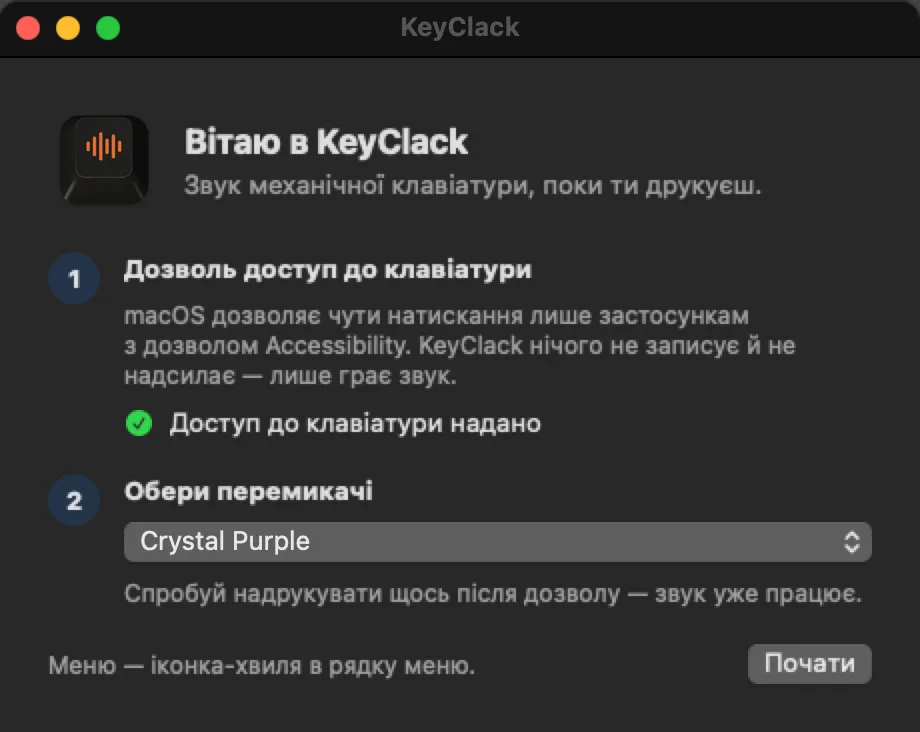 01 / 06
First launch: one macOS permission for keyboard access and a choice of switches. The app only plays sound and records nothing.
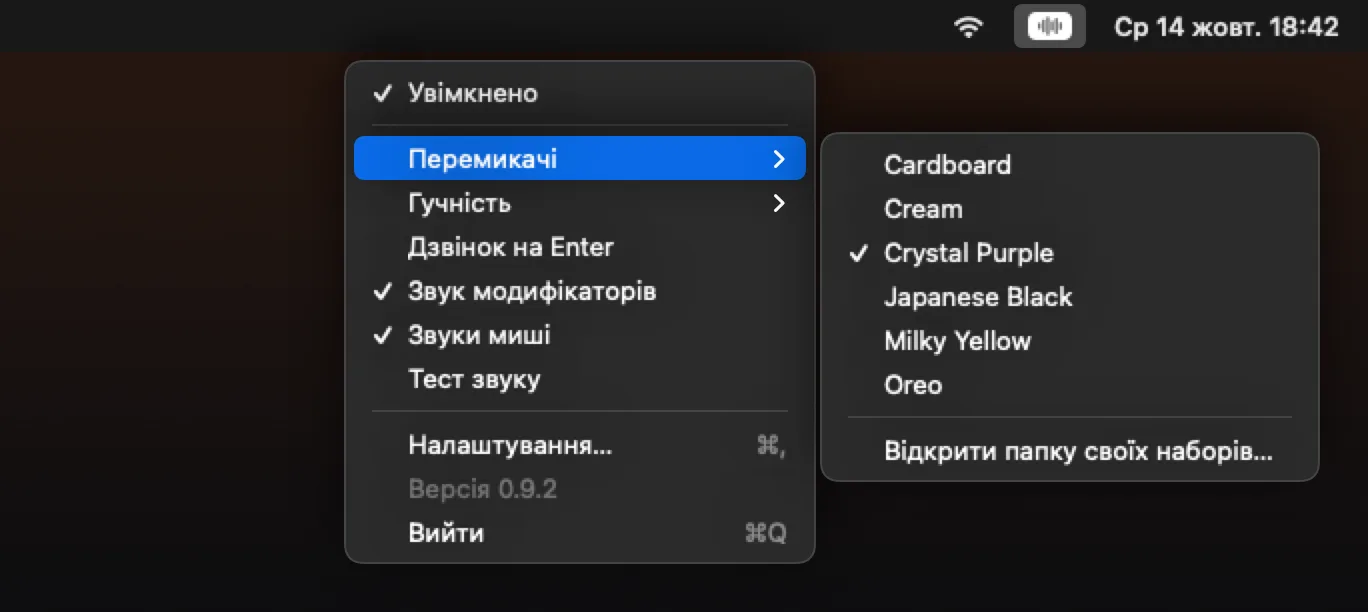 02 / 06
Everything at hand in the menu bar: turn the sound on, change switches or volume, add mouse sounds.
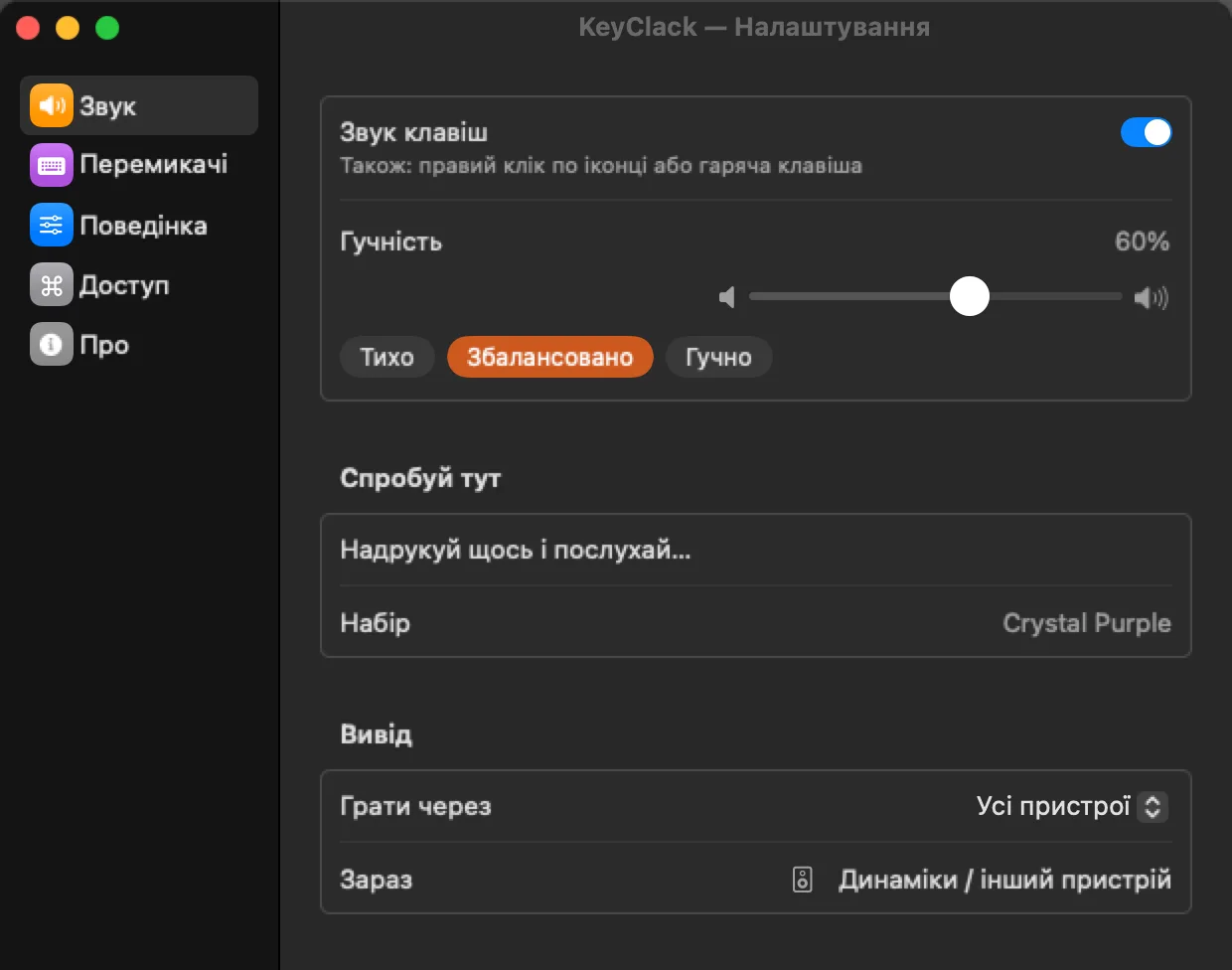 03 / 06
Settings with a sidebar, like the system ones. Sound: volume on one slider with presets, a field to try a set right away, and output choice — it can play through headphones only.
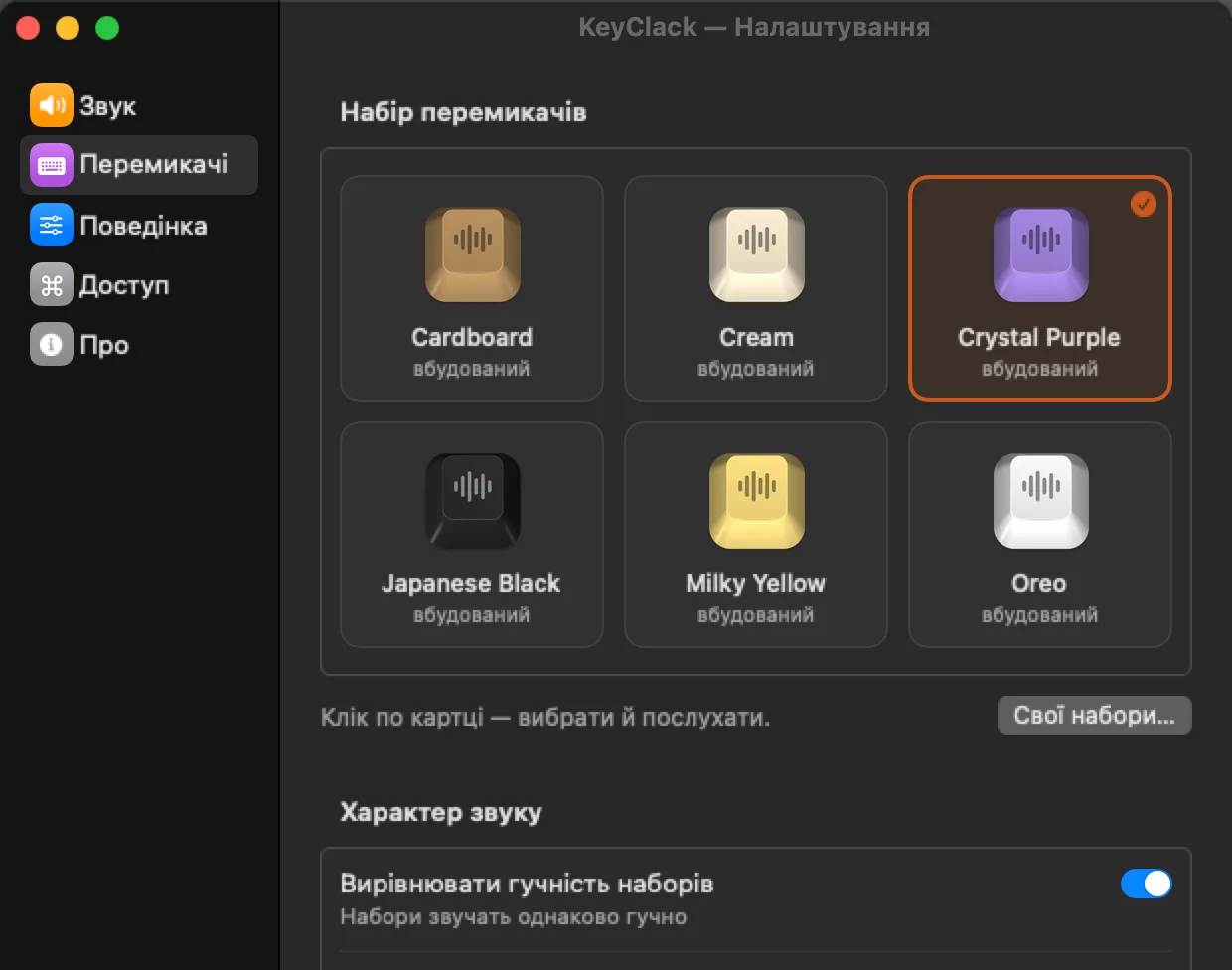 04 / 06
Six switch sets as keycap cards in each set's colour: a click selects one and plays it at once. Loudness is matched across sets, the sound is lively and in stereo.
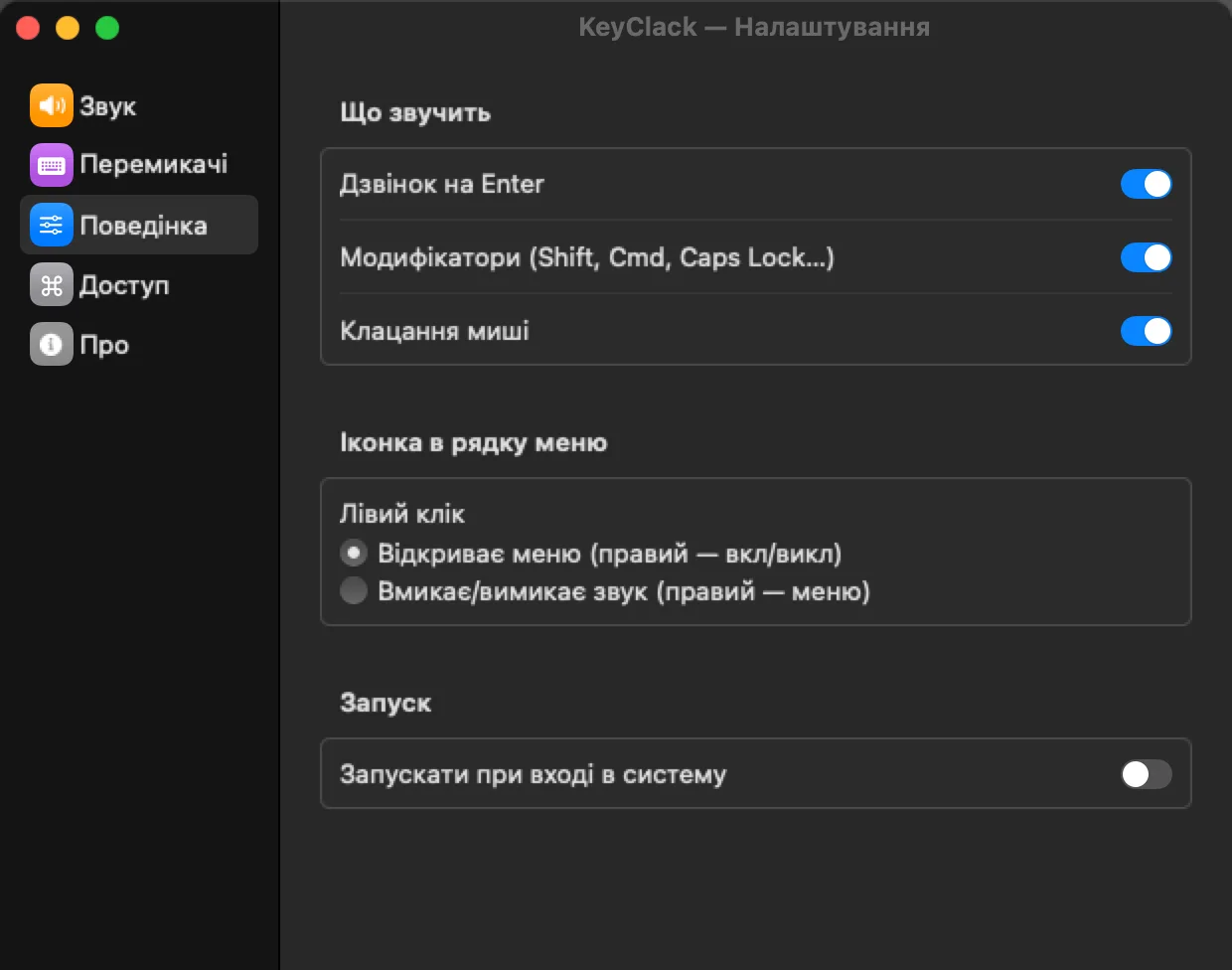 05 / 06
What makes a sound: Enter, modifiers, mouse clicks. What clicking the menu bar icon does and whether to launch at login.
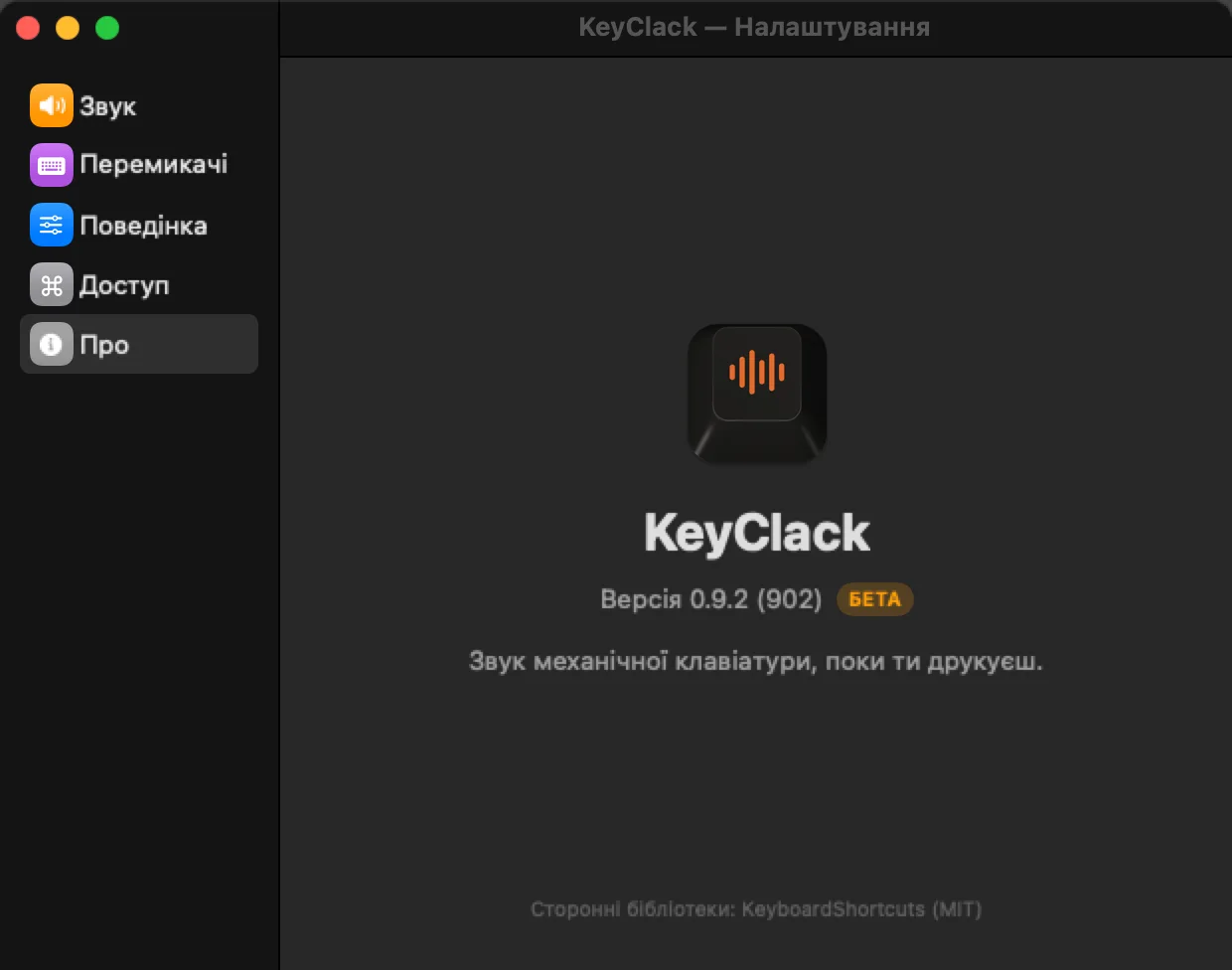 06 / 06
A custom icon: a sound wave on a keycap that changes colour with the macOS theme.
An app you do not notice while typing: 0% CPU when idle, the engine sleeps after 10 seconds of silence, and not a single key is lost at 30 keystrokes per second.
A beta for internal use: for now it runs only on our own Macs. Before a public release the sound sets will be recorded anew.
Need a native macOS app? Describe the idea and we will suggest where to start.